How to download Tmall (天猫) product images
Premium-brand studio photography from Alibaba's verified-brand marketplace — ready for Amazon FBA, Shopify, or your brand book.
Tmall has the best product photography in Chinese ecommerce. Every listing is from a verified brand (Nike, Apple, Sony, L'Oréal, 200,000+ others), so the photos meet a higher quality bar than Taobao’s open-marketplace listings.
Steps
- Open the Tmall product on
detail.tmall.comortmall.hk. - Copy the URL from your browser.
- Go to alidownpro.com, paste, click Extract.
- The result page shows Gallery / Variants / Reviews / Videos tabs.
- Click Download all as ZIP.
What you’ll get
- Studio gallery shots (1500-2500 px)
- SKU variant photos with translated labels
- A+ infographics from the long description
- Demo videos in MP4 (no watermark)
- Brand-store hero imagery
Best use cases
- Amazon FBA brand resellers — Tmall white-background main images often meet Amazon’s 1000×1000 zoom requirement.
- Content creators reviewing Chinese brands — Tmall has demo videos that work as B-roll.
- Brand book research — see how premium Chinese brands present themselves.
FAQ
What's the difference between Tmall and Taobao photos?
Tmall accepts only verified brands, so every Tmall listing has professionally-shot studio photography. Taobao is the open marketplace and quality varies. For polished imagery, Tmall is the better source.
Does Tmall require login to view photos?
No — Tmall product photos are public. AliDownPro extracts them without any login.
Does AliDownPro work on Tmall Global / tmall.hk?
Yes. We support detail.tmall.com (mainland), tmall.hk (Hong Kong / Tmall Global), and world.tmall.com.
Related
Skip the URL paste. Download right from the AliExpress page.
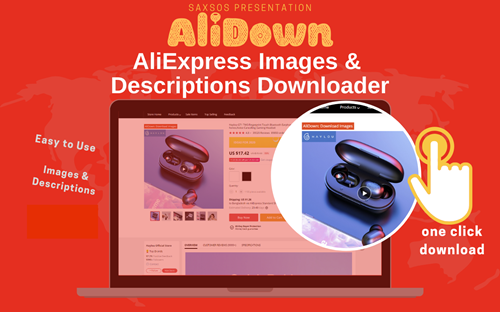
Install the official AliDown Chrome extension and grab every product image, variant, and video — including review photos — in one click. Unlimited downloads, forever free, no credits needed.
- One-click bulk download
- ZIP, single files, or HD originals
- No login required, no credit limit
- Works on AliExpress, AliBaba & Taobao
⭐ 4.9 / 5 average rating · 10,000+ active users